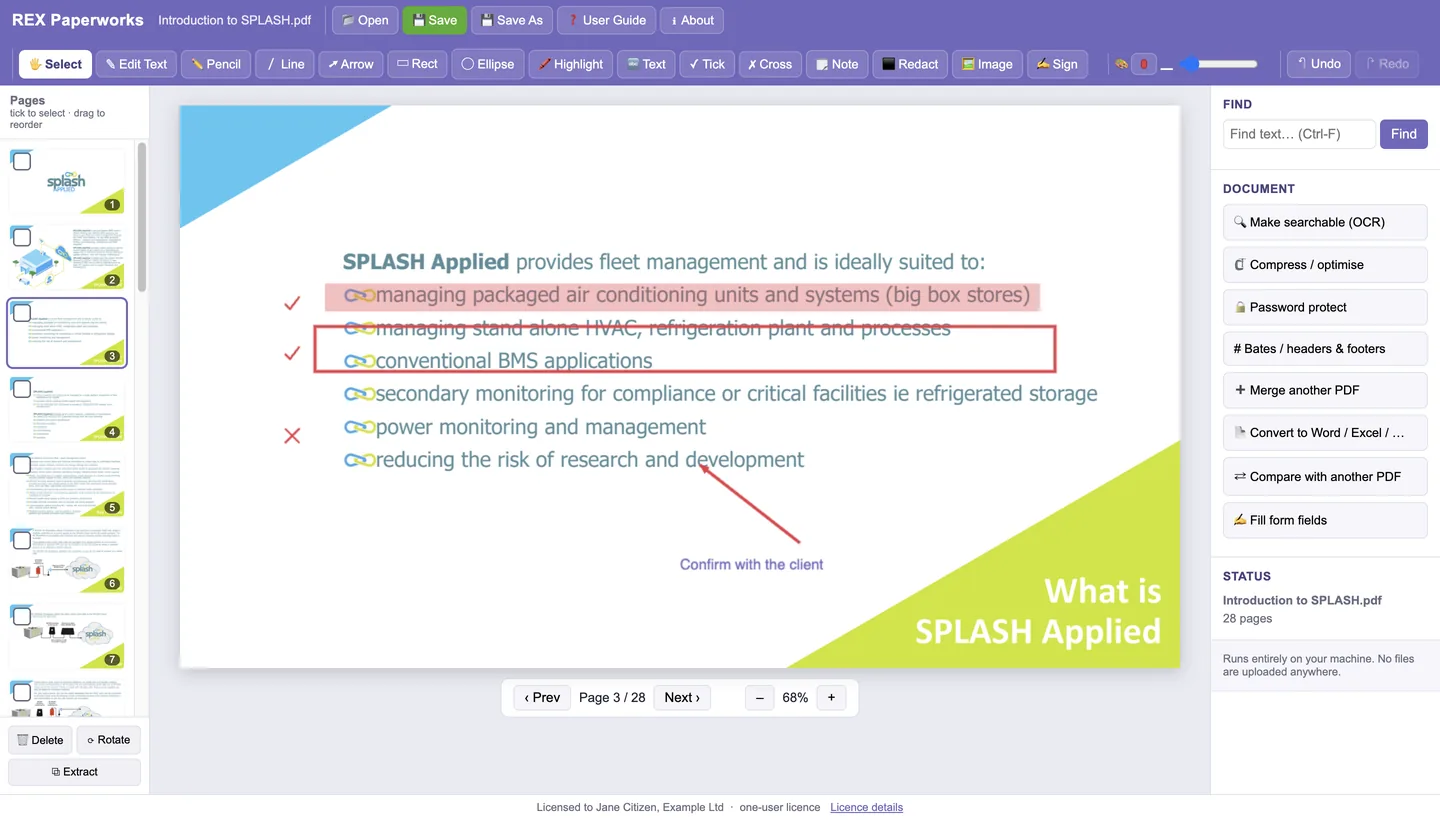
View, mark up, sign, combine and convert PDFs, entirely on your own machine. The contracts, drawings and invoices you open never leave your computer, and there is no monthly fee for the privilege of editing your own documents.
Online PDF editors charge every month and the big-name desktop editor is now subscription only. REX Paperworks is US$79, paid once, with 12 months of updates, and it keeps working after that.
Free web PDF tools work by uploading your file to someone else's server. Paperworks does everything on your computer, offline, so a signed contract or a client's drawing is never sent anywhere.
Developed by an engineering consultancy for its own drawings, specifications, contracts and supplier invoices: combine, reorder, stamp, sign, redact and compare revisions.
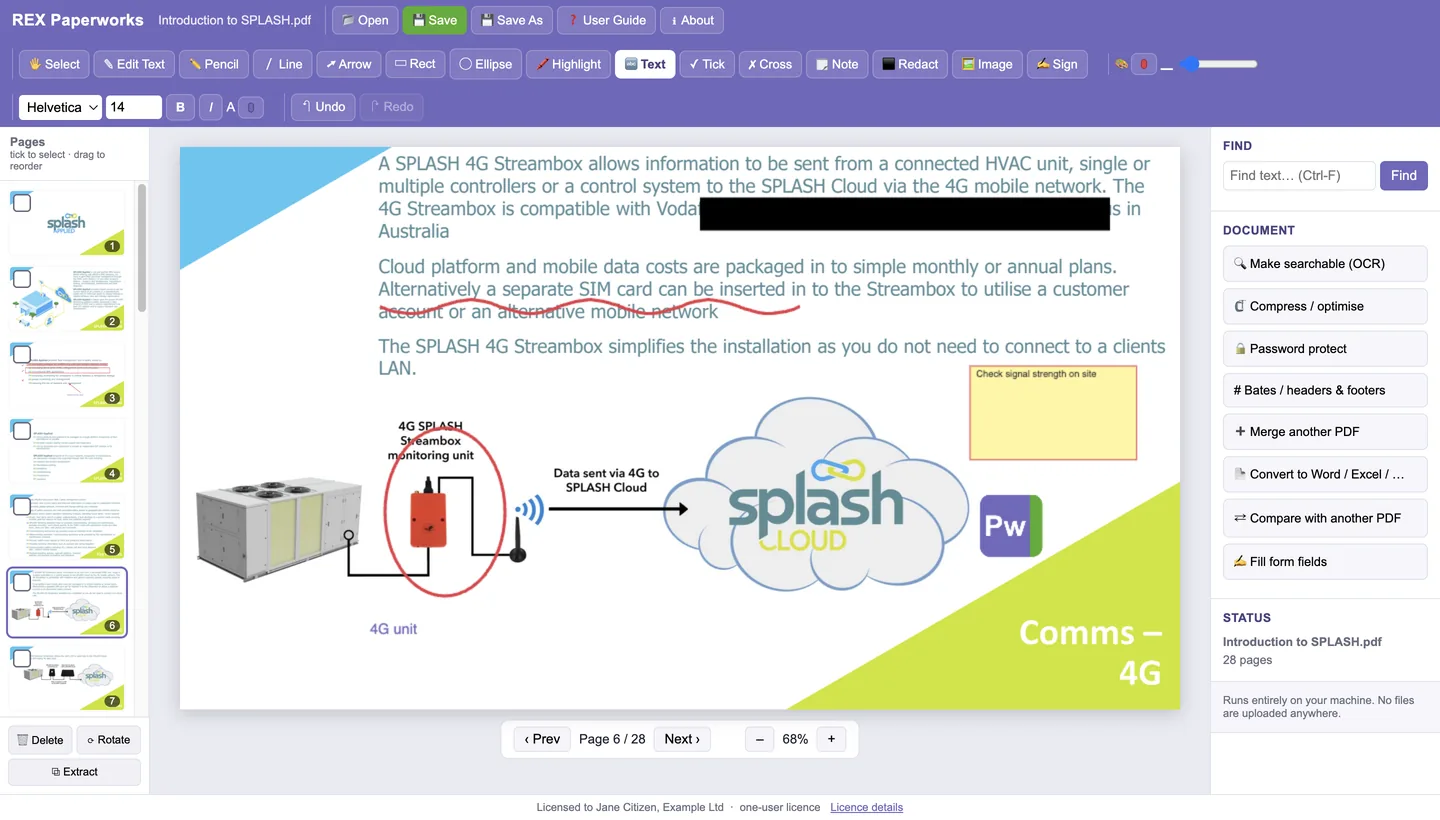
Pencil, lines, arrows, shapes, highlighter, text, tick and cross marks, sticky notes, pictures, signature images, and permanent redaction. Select, move, resize, copy and undo.
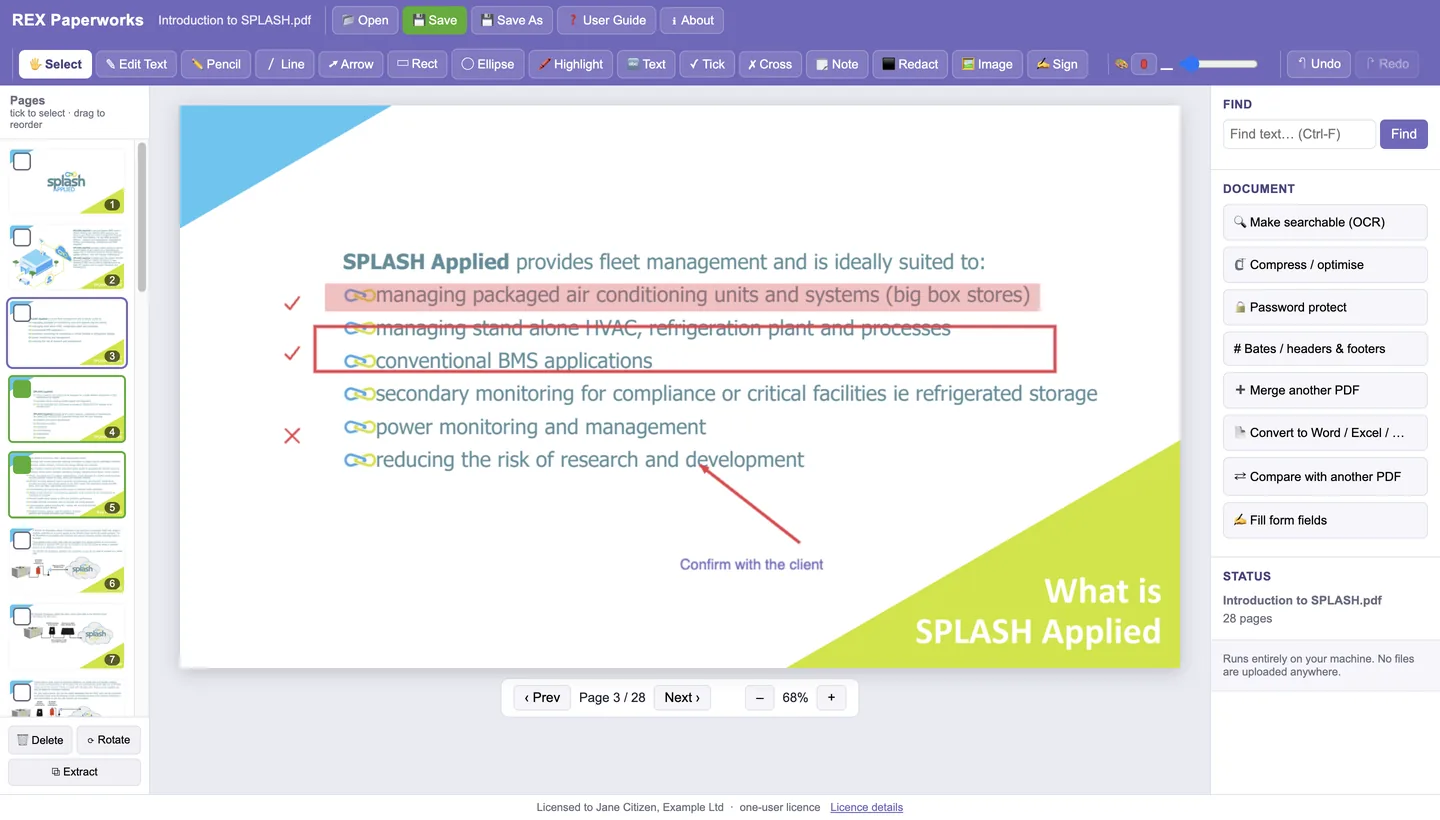
Drag thumbnails to reorder (one page or a ticked block), delete or rotate ticked pages, extract pages to a new file.
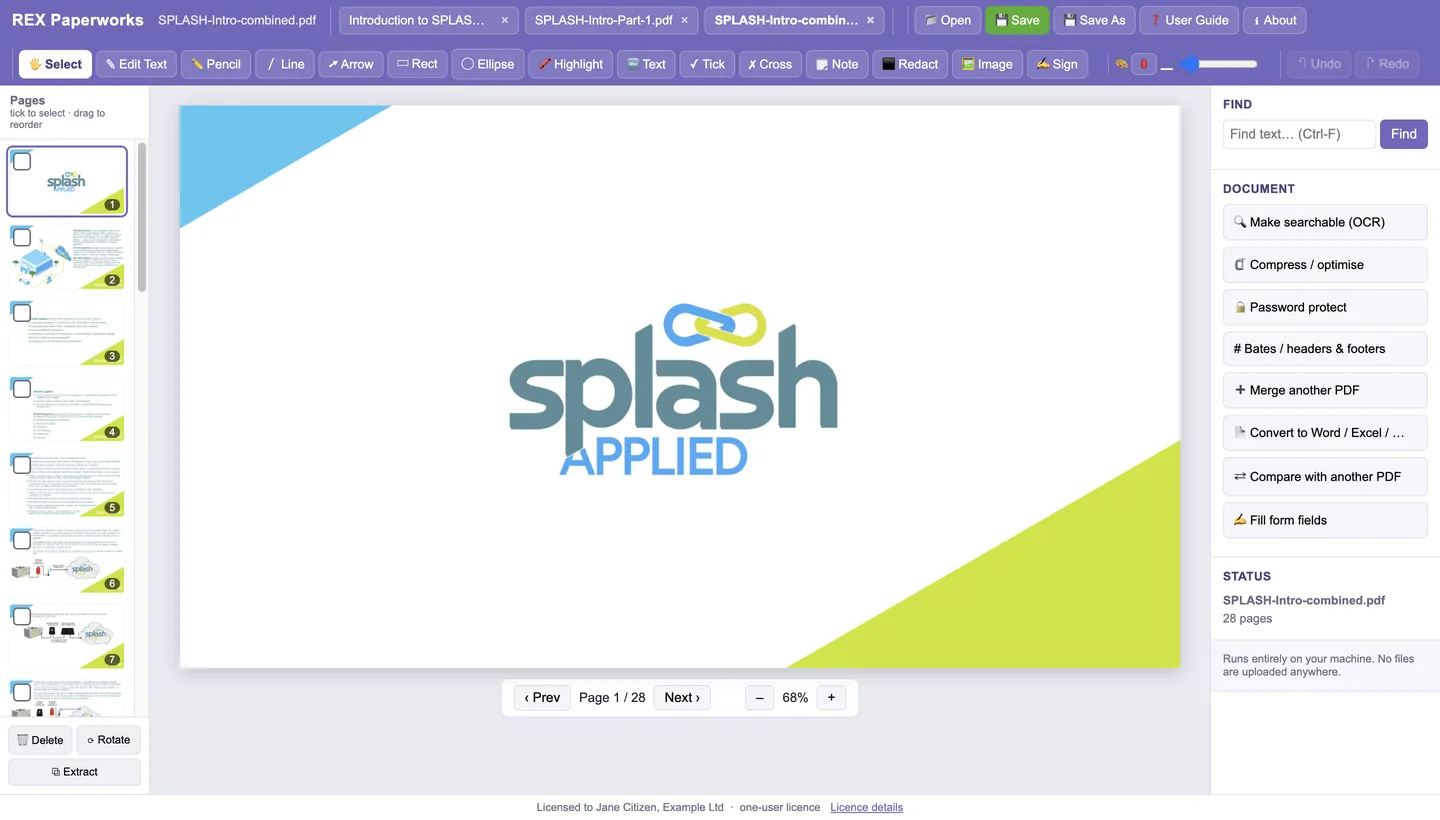
Merge picks several PDFs in one go, appends them in order and opens the combined file in its own tab, ready to reorder and save under a new name.
Turn scanned pages into searchable, selectable text without changing how they look.
PDF to Word, Excel, plain text or images, with table detection for spreadsheets.
Text and visual differences between two PDFs: see exactly what changed between revisions of a drawing or contract.
Sequential numbering and custom stamps across a document set.
Fill and lock interactive form fields, password-protect a file, and shrink a PDF for email.
Open multiple PDFs in tabs, find text with matches highlighted on the page, edit existing text on digital PDFs.
Open a PDF from any folder on your computer or a network drive, and Save to overwrite it or Save As under a new name. Nothing is copied to a server.
The same program runs on Windows 10/11 and on Apple-silicon Macs, with the same files and the same markup tools.
Page rendering and OCR engines are built in on Windows; no separate downloads, no internet connection needed.
By buying you agree to the Licence Agreement and Terms of Sale. Third-party components are listed in each product's NOTICES file (Manuals page).